
I Gazed into the Abyss, and it was terrifying
Training Social Media Algorithms Part 1
One of my recent obsessions has been to manipulate my own social media algorithm to produce a desired output. I’ve run the test many times across multiple platforms with multiple accounts. Sometimes the test accounts are sandboxed, sometimes they are not. What is really interesting is the information that leaks around the edges. Could be something tracked, but more likely it’s an echo of the subconsciousness.
Truly mind-bending stuff, which harkens back to Berkley. If you’re old enough you remember the joke, and if you’re not… oh well. Not going to hold your hand.
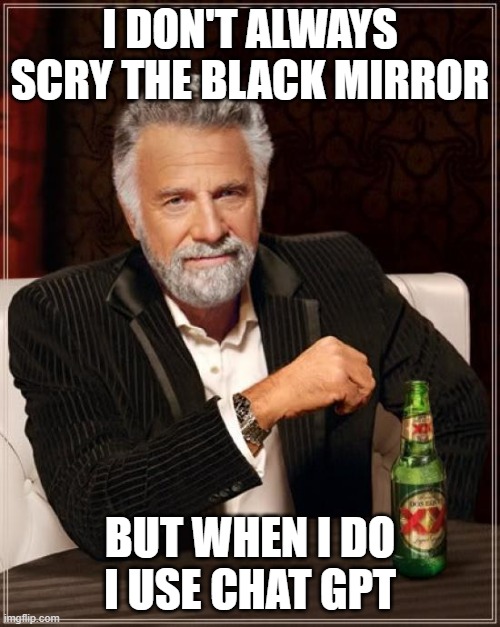
“And if you gaze long into an abyss, the abyss also gazes into you.” - Nietzsche
There is no ghost in the machine, only a black mirror peering back at you. What people miss about AI chatbots, and content recommendation engines is that they are designed to feed you more of what you want. The point is to keep you engaged and to do that it has to learn your behaviors, desires, and interests. It makes you the most interesting person in the story.
The fix you’ve been craving
But the algorithm doesn’t love you. It doesn’t miss you. It simply waits until you’ve returned and rewards the visit with carefully curated content in a matter of seconds.
I won’t bore you with tales of dopamine addiction. That happens, and it can wreck relationships and well-being. Rather I’ll focus on discovering the unknown. Stepping outside your comfort zone. Resetting the narrative.
New Vibe, Who Dis?
I asked AI to instruct me in Instagram’s demise; the algorithm reset was permanent and vibe shifting.
The PROMPT
How do I reset my algorithm on Instagram?
You can’t delete the algorithm itself, but you can wipe Instagram’s current recommendation signals and then retrain it with your behavior.
Use the built‑in reset (recommended)
Instagram now has a native “Reset suggested content” feature that clears the signals used for your Home, Reels, and Explore recommendations.
Steps (names may vary slightly by region/app version):
- Open Instagram and go to your profile.
- Tap the three‑line menu (top right).
- Go to Content preferences (usually under “What you see” or “Settings and privacy”).
- Tap Reset suggested content / Reset recommendations.
- Follow the prompts (you may get a screen to review who you follow and ad topics), then confirm Reset.
This clears past recommendation signals so the system starts fresh, then re‑personalizes as you interact with content again.
Clean up search and “Explore”
Even with a reset, old searches and a messy Explore page keep nudging the model in the wrong direction.
- Clear search history:
- Tap Search → tap the search bar → “See all” → “Clear all” and confirm.
- Aggressively mark junk as “Not interested”:
- On Explore/Reels, tap the three dots on any post you dislike → Not interested / See fewer posts like this.
- Do this repeatedly for a while; it’s a strong negative signal.
These actions reduce the weight of old interests and push the system away from unwanted topics.
Retrain it with new behavior
After the reset, assume every interaction is a training example.
- Spam positive signals on what you do want: like, comment, save, share, and watch to completion in the niches you care about.
- Starve what you don’t want: scroll past quickly, don’t interact, and use “Not interested” instead of hate‑watching.
- Use search intentionally: search new topics, open several posts you like in that niche, and engage a bit so Explore pivots faster.
Within a few days of consistent behavior, your feeds will skew heavily toward the new interests.
Optional: tighten your main feed
Your following list is another core input to the recommendation system.
- During or after the reset, prune who you follow: unfollow or mute accounts that routinely post content you don’t want.
- Use the Following and Favorites feeds when you want more control: tap the Instagram logo on Home and choose Following/Favorites for less algorithmic noise.
This reduces conflicting signals and keeps the new model aligned with your actual interests.
Read More:
- Understanding Social Media Recommendation Algorithms
- How to tweak your online platform algorithms
- You Can Change Your TikTok Algorithm, But Not In The Way You Think
Results - Day 1
Immediately I began speed run training. After about 15 minutes I was deep down the rabbit hole of digital art and music, with a side of cyberpunk. I culled follows but kept most of my coding and security folks. The result was alarming and devolved into a trippy feed of the unhinged.
Roll the Footage

Ok, pretty cool..

Time Square, classic

She looks at me like I’m an NVIDIA GPU
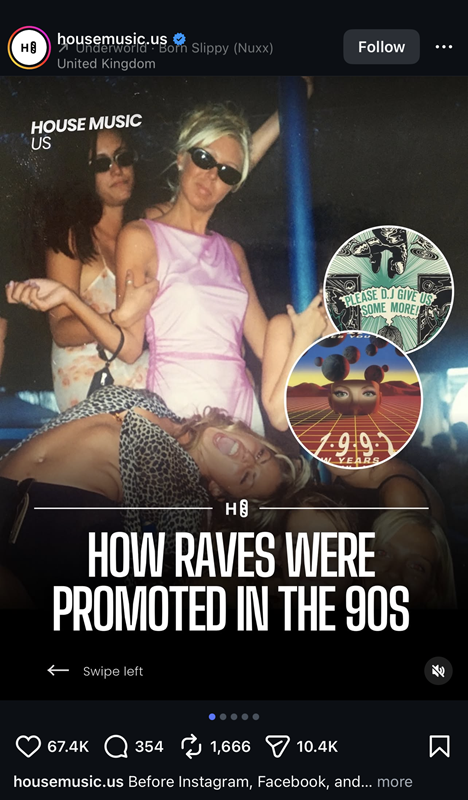
WTF.. secrets out I guess?
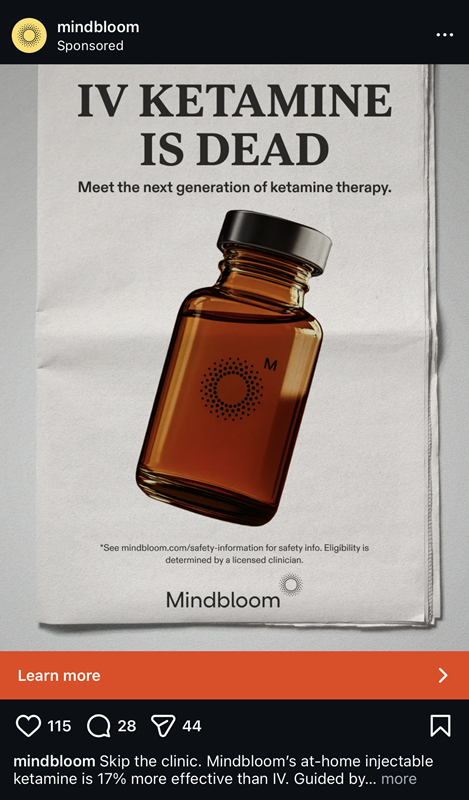
There it is..
Bottom Line
First rule of social media, ABC (Always Be Closing). In this case Meta decided that I required ketamine. Cool.
Next Steps
Granted this was day 1, hour 2 or 3 of the retrain. Per the above instructions I’ll let this one marinate for 12-24 hours and go back for round 2.
I ran a similar experiment with TikTok and despite the obvious differences in platform the algorithm is remarkably similar. Everything funnels you toward a product.
So, in the modern sense you are still the product, but your value is what you buy. Smart play from Meta and ByteDance to make money on both sides of the buyer / seller relationship.
So Anyway
Thanks for tagging along on this journey. If you like this stuff and want to support my “work”, please give me a follow on social media.
+++ EOF, CloudShock